


Vrbo Vacation Rentals
4.820.83K Reviews
App Specs
- Version
- 2026.27.0
- Updated On
- License
- Free
- Downloads
- 10,000,000+
- Developer
- Vrbo
- Categories
- Travel & Local
- Platform
- Android, iOS
Screenshots

 Analysis by AppCompare
When I’m planning a stay in an unfamiliar place, I want to compare whole homes without turning the search into a second job. Vrbo Vacation Rentals is built around that kind of trip: you can browse places to stay, narrow the options, and keep appealing listings together while you decide. I find it most useful when the accommodation is part of the plan, not just somewhere to sleep between activities.
What to expect from the pace of searching
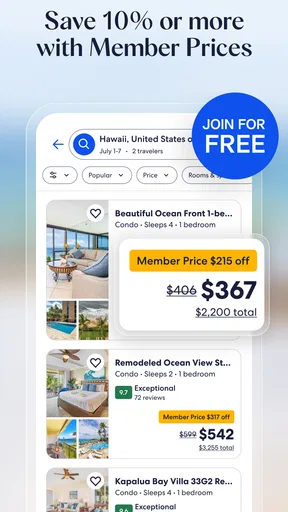
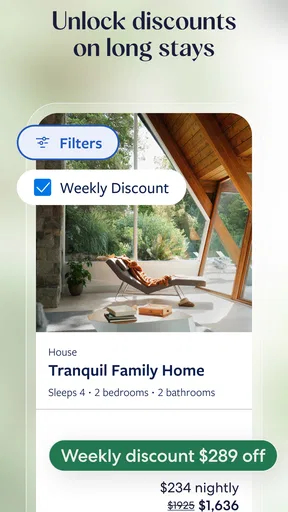
Vrbo is a free travel and local app from Vrbo, and its current version is 2025.50.0. Its store page describes a selection of more than two million properties, so the practical challenge is less about finding any result and more about making a large search manageable. Filters for location, price, amenities, and property type help me move from a broad idea to a shortlist that fits the trip.
I would not judge a rental app by whether every search feels instant on every phone or connection. Results can involve photos, maps, and plenty of listings to inspect, so browsing may feel more involved than checking a basic hotel room. My useful approach is to start with the destination and dates, then add only the filters that truly matter. Tightening every preference at once can leave a narrow set of choices before I have worked out which compromises I’m willing to make.
When the search gets busy
The most demanding moments are usually practical rather than technical: comparing several homes, checking where they sit on the map, reading reviews, and deciding whether the amenities suit everyone in the group. I like to make a short list before sending it to travel companions. That keeps the conversation focused on a few real options instead of a stream of screenshots and changing search results.
One useful trade-off is that a map can clarify location without answering every question about the neighborhood. I use it to judge distance and general placement, then read the listing details and reviews for context rather than assuming that a pin tells the whole story. For a family trip, I would also check the sleeping arrangements and the amenities that affect daily routines before getting attached to attractive photos.
Stability, recovery, and sensible checks
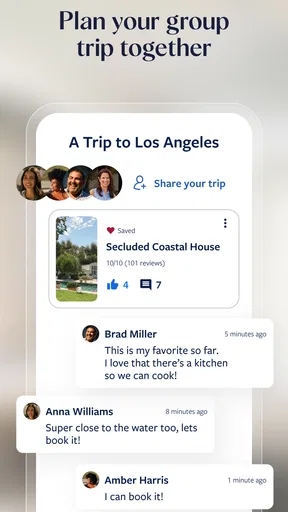
For a trip-planning tool, reliability means being able to return to the details that matter: the listing, the conversation, and the trip information. Vrbo’s trip board gives me a way to save possibilities and share them with other people, which is especially handy when decisions are spread across several days. If I’m interrupted mid-search, I prefer a saved shortlist to relying on memory or trying to recreate every filter later.
Before committing to a property, I would read the listing carefully, look through the reviews, and make sure the location and amenities match the group’s needs. Messaging the host can help resolve a specific uncertainty, but it is still worth keeping the important details clear in the listing and trip information. As with any booking app, I would not treat a smooth browsing experience as a substitute for checking the terms and practical details of a stay.
Worth Reading Before You Choose

EA SPORTS FC Mobile 26 Is a Bigger Football Game, but It Takes Time

Flipboard Shows What News Apps Must Do Beyond the Feed

Switching to Android Auto Means Rethinking Your Driving Routine

Google Calendar Makes a Crowded Week Easier to Manage

Ludo King Makes the Most of the Minutes Between Plans

Baby Panda World Brings Quick Play to Modern Phones, but Its Game Library Feels Busy
First Impressions
Right off the bat, the Vrbo Vacation Rentals app feels sleek and intuitive. The design is straightforward, which makes navigating through countless vacation rentals a breeze. I loved how the homepage instantly introduces you to featured destinations, which is great if you're looking for some travel inspiration.
Exploring the Features
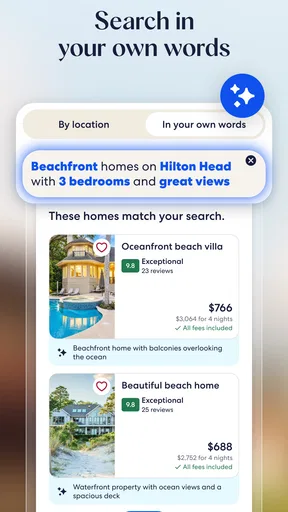
Let's dive into what this app has to offer. The search function is a dream. You can filter by location, price, amenities, and even property type. Want a villa with a pool or a pet-friendly cabin? No problem! The app's got you covered. I was particularly impressed by the map view, which lets you visualize where each property is located. Perfect for those who like to plan their stay around local attractions.
Booking a place is as easy as pie. You can view detailed photos, read reviews, and communicate directly with hosts. Plus, the app provides a secure payment system, which is a huge relief. No one wants to worry about their card details when they're planning a getaway.
The Experience
After browsing through countless options, I finally booked a quaint little cottage by the lake. And let me tell you, it was exactly as advertised. The hosts were responsive and even left a welcome basket, which was a nice touch. The app kept me updated with notifications about my trip, making the whole experience seamless.
Another cool feature is the trip board. It's like a Pinterest board for your vacation, where you can save your favorite listings and share them with friends or family. Planning a group trip? This tool is a lifesaver!
Choosing the right kind of stay
Vrbo suits me best when I’m travelling with family or friends and want to compare properties as places to spend time together. A home can make shared meals, downtime, and separate sleeping spaces part of the trip, rather than relying on a collection of hotel rooms. It can also work well for a longer visit where having the right amenities matters more than being immediately beside every attraction.
It is less compelling if I only need a simple room for one night, expect to spend nearly all my time away from the accommodation, or want the quick standardized comparison that hotel-focused apps are designed around. I would also consider a different option if my destination has very few whole-home rentals or if I need a particular service that a listing does not clearly describe. A large catalog is helpful, but it cannot make an unsuitable property fit a trip.
A realistic planning routine
For a practical example, imagine a group trying to arrange a weekend away while everyone is busy. I’d search the destination and dates, use price and property-type filters to remove obvious mismatches, then check the map for a location that works for the group. I’d save a small number of candidates to the trip board and share them, so everyone can discuss the same options instead of forwarding links in separate messages.
Before booking, I’d compare the details that are easy to overlook in a quick scroll: who sleeps where, whether the amenities we care about are actually listed, and whether the location suits the planned activities. If something important remains unclear, I’d contact the host before making the decision. This workflow takes more thought than choosing a standard hotel room, but it helps prevent a pretty photo from doing all the persuading.
Where it sits among travel apps
Compared with general travel search apps, Vrbo puts the rental home itself at the center of the decision. That focus is an advantage when the group wants a shared place and needs to weigh space, property type, and location together. A hotel comparison service can be quicker when the priority is a familiar room format or a straightforward overnight stop. I see Vrbo as a focused option for finding a rental, not a universal replacement for every travel tool.
The app has a 4.8 average from around 277,000 ratings, and it has been installed over 10 million times. Those figures suggest that it has reached a broad audience, but they do not guarantee that every listing or stay will suit me. I still treat each property as its own decision: reviews, photos, location, and communication all matter more than a headline impression.
Device fit and everyday friction
The app is rated for Everyone and requires Android 10 or newer. That makes the operating-system requirement worth checking before planning around it, especially if I’m using an older spare phone while travelling. The app is free to download, which makes browsing an easy first step; the cost of a stay is a separate decision tied to the property and booking details.
When a search feels crowded, I find it more useful to loosen a nonessential filter than to keep refreshing the same narrow results. I also avoid judging a listing from its first few photos alone: the description and reviews can reveal details that change how suitable it is. These small habits make the experience more deliberate and reduce the chance of mistaking a polished presentation for a perfect match.
Final Thoughts
All in all, Vrbo Vacation Rentals is a solid choice for anyone looking to book a unique stay. It's user-friendly, reliable, and offers a vast selection of properties. Whether you're planning a romantic getaway or a family reunion, this app has something for everyone.
So, next time you're itching for a change of scenery, give Vrbo a whirl. You might just find your dream vacation spot. Happy travels!
Pros
- Extensive property selection worldwide.
- User-friendly interface and navigation.
- Detailed property descriptions and photos.
- Secure booking and payment options.
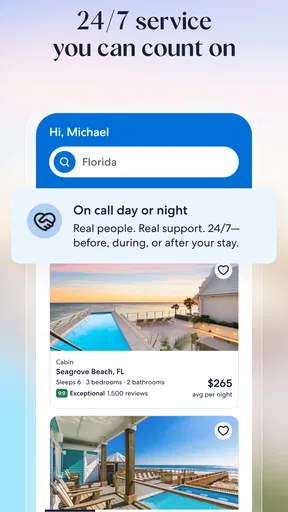
- 24/7 customer support available.
Cons
- Service fees can be high.
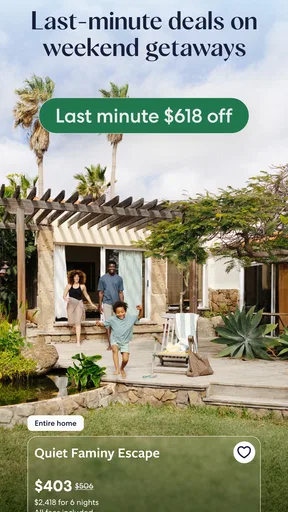
- Limited last-minute booking options.
- Cancellation policies vary widely.
- Some listings lack recent reviews.
- Not all properties offer instant booking.
FAQs for Vrbo Vacation Rentals
What is Vrbo Vacation Rentals?
Vrbo Vacation Rentals is an app that connects travelers with property owners, allowing users to book vacation homes, cabins, and condos directly. Unlike traditional hotel bookings, Vrbo provides more personal and unique accommodations, perfect for families and groups looking for a home-like experience during their travels.
How does Vrbo ensure the safety and security of its users?
Vrbo prioritizes safety by offering secure payment options and a detailed review system. Property owners are verified, and users can read previous guest reviews to ensure the property meets their expectations. Additionally, Vrbo provides 24/7 customer support to assist with any issues that may arise during the booking process.
Are there any fees associated with booking through Vrbo?
Yes, Vrbo charges a service fee for each booking, which covers customer support and protection services. This fee varies depending on the total cost of the reservation. It is important for users to review the total breakdown of costs, including any additional cleaning or management fees charged by the property owner.
What should I do if I need to cancel my reservation?
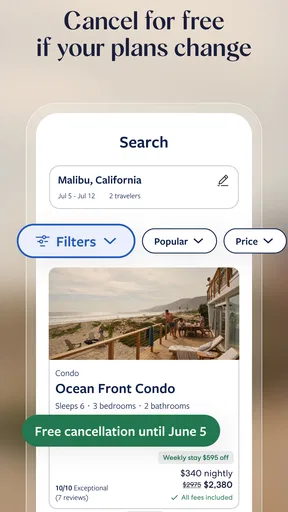
Cancellation policies on Vrbo vary depending on the property owner. It is crucial to read the cancellation policy of each listing before booking. Some owners may offer a full refund if canceled within a certain timeframe, while others may have stricter policies. Contact the owner directly and reach out to Vrbo support for assistance if needed.
Can I communicate directly with property owners on Vrbo?
Yes, Vrbo facilitates direct communication between travelers and property owners through its messaging system. This allows users to ask questions about the property, clarify details, and make specific arrangements before booking. Open communication ensures that both parties have a clear understanding of expectations and requirements.


